
Managed IT · Outsourcing
IT Outsourcing Services for Los Angeles Businesses
IT outsourcing means handing your day-to-day IT to an outside team instead of hiring, or relying on, one person in-house. For a business with 10 to 100 people, that usually covers help for employees, computers and updates, Microsoft 365, security, backups, and dealing with vendors. SupportMax takes that work off your plate as one accountable team based in West Los Angeles, while you keep ownership of your accounts, data, and decisions.
Managed IT · Based in West Los Angeles
What you can hand off
1
Help for your employees
2
Computers, updates, and Microsoft 365
3
Security, backups, and vendors
Questions? 310.331.8119 · Mon–Fri, 9–6 Pacific.
Plain-English guidance
Onsite help on the Westside of Los Angeles
You keep ownership
One accountable team
Why outsource
Why small businesses outsource their IT
Most businesses outsource IT for the same few reasons.
01
One person can't cover it all
Support, security, backups, and planning are too much for one employee or a part-time helper.
02
Security keeps getting harder
Protecting email, accounts, and devices now needs ongoing attention, not occasional fixes.
03
Problems keep coming back
Without monitoring and updates, the same issues interrupt work again and again.
04
The owner is doing IT
Leaders spend time on passwords and vendors instead of running the business.
How it works
How outsourcing your IT to SupportMax works
We take over in phases, so your team keeps working.
Talk to a Real Expert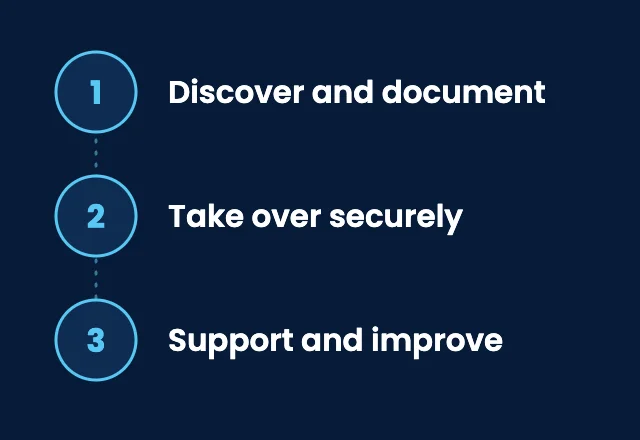
1. Discover and document
We inventory your devices, accounts, software, and vendors, and write down how things are set up.
2. Take over securely
We collect admin access securely, change credentials, work with your previous provider where they cooperate, and fix urgent security gaps early.
3. Support and improve
Your team gets a help desk, onsite help on the Westside of Los Angeles when needed, monitoring, and a plan for what to improve next.
Full or partial?
What to outsource, and what to keep
You don't have to hand off everything at once.

Full outsourcing
One team runs your IT
Help desk and onsite support
Devices, updates, and Microsoft 365
Security and backups
Vendors and planning

Partial outsourcing
Hand off specific areas
Help desk for your employees
Microsoft 365 management
Cybersecurity services
Backup and recovery

What you keep
Ownership and decisions
Ownership of accounts and data
Admin access in your name
Documentation of your systems
Final say on spending
The U.S. Chamber of Commerce explains how small businesses can outsource IT services, and CISA's risk considerations for managed service provider customers lists questions to ask any outsourced IT provider.
Stay in control
Outsourcing doesn't mean losing control
A good IT provider works for you, not the other way around. Your accounts, data, and documentation should stay in your name, and you should always be able to see what was done and why. If you are comparing providers, read how to choose an IT company in Los Angeles and MSP vs MSSP.
Managed IT services →What's included
IT outsourcing with SupportMax
01
Support
A help desk with our team during business hours, optional 24/7 coverage, and onsite help on the Westside of Los Angeles when needed.
02
Manage
Device monitoring, updates, Microsoft 365, and coordination with your vendors.
03
Protect
Security software, multi-factor authentication, email protection, and tested backups.
04
Plan
Technology planning and budgeting so IT supports where your business is going.
Client stories
What clients say about outsourcing IT to SupportMax
We needed to extend our IT capacity without hiring.
“Hiring more IT staff wasn't realistic for us, but we needed more coverage. SupportMax filled that gap without the overhead.”
Ines Yarrowstone - Owner, Professional Services
They extended our capacity without the overhead.
“SupportMax gave us the coverage we needed without adding headcount. That flexibility has been valuable.”
Evren Hawthornmont - Operations Director, Manufacturing
We're getting more done with the same team.
“Our internal team can focus on priorities instead of day-to-day tickets. SupportMax takes care of the rest.”
Freya Meadowcroft - COO, Distribution
Working with SupportMax
One accountable team, clear next steps
Ready to hand off your IT?
Talk to a real expert. Call 310.331.8119, Monday–Friday, 9:00 a.m.–6:00 p.m. Pacific, or start with a free Technology Clarity Assessment.
Questions
IT outsourcing services: common questions
Have a question that isn't here? Call 310.331.8119 or schedule a free consultation.
Is outsourcing IT right for a small business?
Usually, if no one in-house has the time or skills to cover support, security, and backups. A free assessment helps you decide. See also managed IT vs in-house IT.
Can we outsource only part of our IT?
Yes. Some businesses start with the help desk, Microsoft 365, or cybersecurity, and hand off more later.
What happens to our current IT provider?
We work with your previous provider for a clean handover where they cooperate, collect admin access securely, and change credentials. See our process.
Will we lose control of our systems?
No. Your accounts, data, and documentation stay in your name, and you make the final decisions.
Do you come onsite?
Yes. Most issues are fixed remotely, and we provide onsite support on the Westside of Los Angeles when needed.
What does IT outsourcing cost?
It depends on your number of people and devices, your security needs, and what you hand off. See how much IT support costs for a small business.
Hand off your IT to one accountable team
Call 310.331.8119, Monday–Friday, 9:00 a.m.–6:00 p.m. Pacific, or request a free Technology Clarity Assessment. See also managed IT services.
Prefer to call? 310.331.8119 · Mon–Fri, 9–6