
How much does IT support cost?
How Much Should IT Support Cost for a Small Business?
How much IT support costs depends mostly on how many people and devices you have, what is covered, and how much security and onsite help is included. Instead of guessing at a number, this guide explains what drives the price, what a good monthly agreement should include, and how to compare quotes fairly.
By SupportMax · Updated October 13, 2026
Before you compare quotes
1
Count your users, computers, and locations
2
List what must be covered
3
Ask what is billed separately
Free IT assessment: five short questions.
Plain-English guidance
Based in West Los Angeles
Quotes based on your setup
One accountable team
Video · 30 seconds
Read the transcript
Why can two businesses with the same headcount receive very different IT support proposals? Cost is shaped by device count, locations, support needs, security requirements, cloud systems, aging equipment, and the condition of the current environment. A responsible estimate should explain the scope—not hide behind “it depends.” The comparison should also show who owns each responsibility. Use this guide to understand the cost drivers, then request a proposal based on your actual needs.
Pricing models
Common ways IT support is priced
Most providers use one of these, or a mix.
01
Per user
A monthly price for each person supported. Easy to budget when most work happens on laptops and Microsoft 365.
02
Per device
A monthly price for each computer, server, or network device. Common when devices outnumber people.
03
Flat monthly
One agreed monthly price for a defined scope. Predictable, as long as the scope is clear.
04
Hourly (break/fix)
You pay when something breaks. It can be cheaper in a quiet month, but it's harder to budget and nobody is preventing problems.
Cost drivers
What drives the cost of IT support
Three things move the price more than anything else.
Take the Free IT AssessmentSize and complexity
The number of users, computers, servers, and locations, and the business software you rely on.
What's covered
Help desk only, or also security, backups, Microsoft 365 management, onsite visits, and vendor coordination.
Your starting point
Older equipment, undocumented systems, or open security gaps usually need one-time work before monthly support settles in.
What to look for
What a monthly IT support agreement should include
Use this list to check whether quotes are actually comparable.

Support
Everyday help
A help desk for your employees
Onsite help when needed
Monitoring and updates for computers
Coordination with your other technology vendors

Protection
Security and recovery
Endpoint protection and email security
Multi-factor authentication
Backups with restore testing
Help if there is a security incident

Clarity
In writing
What's included and what's billed separately
How software licenses and hardware are handled
Any setup or onboarding fees
Contract length and how to leave
CISA's risk considerations for managed service provider customers lists questions to ask any provider, and the SBA's cybersecurity guide covers the basics every small business should have.
Comparing quotes
Why IT support quotes differ so much
Two quotes can look far apart because they cover different things. One may include security, backups, and onsite visits; another may bill those separately or leave them out. Line the quotes up against the same list: what's included, what's extra, how licenses and hardware are handled, setup fees, and contract terms. The lowest monthly price isn't always the lowest total cost.
Managed IT options →How SupportMax helps
How SupportMax prices IT support
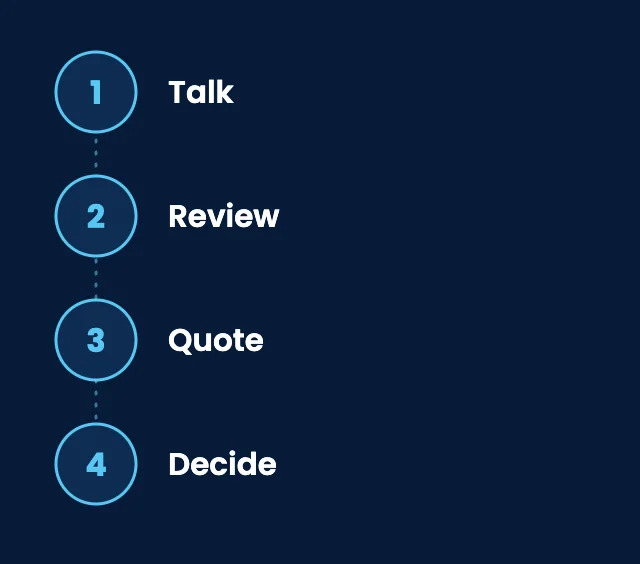
01
Talk
We learn how your business works and what you need covered.
02
Review
We look at your users, devices, and current setup.
03
Quote
You receive a written quote that states what's included and what's billed separately.
04
Decide
You compare it with other quotes and decide, with no pressure.
From our clients
We didn't know what IT support should actually cost.
“We had no idea whether we were overpaying or underinvesting. SupportMax gave us a clearer picture of what reasonable support looks like.”
Greta Northwood - Owner, Professional Services
They explained what we were actually paying for.
“SupportMax broke down what goes into managed support and what we should expect for the cost. That transparency was refreshing.”
Asher Lindenridge - Controller, Manufacturing
We understand our IT budget better now.
“We're no longer guessing about our IT spend. SupportMax helped us understand what we're paying for and why.”
Vera Umberford - CFO, Distribution
Working with SupportMax
One accountable team, clear next steps
Clear pricing conversations, in plain English
Call 310.331.8119, Monday–Friday, 9:00 a.m.–6:00 p.m. Pacific, or start with the free IT assessment. We'll explain what affects your price before you commit to anything.
Questions
How much does IT support cost? Common questions
Have a question that isn't here? Call 310.331.8119 or schedule a free consultation.
How much does IT support cost per month?
It depends on your number of users and devices, what is covered, and your starting point. A help-desk-only plan costs less than one that also includes security, backups, and onsite support. The way to get a real number is a written quote based on your setup.
Is per-user or per-device pricing better?
Per-user pricing is simpler when each person has a laptop and Microsoft 365. Per-device pricing can fit better when you have shared computers, servers, or a lot of equipment. What matters most is that the scope is clear.
Is break/fix cheaper than managed IT?
It can be in a quiet month. But with break/fix nobody is preventing problems, costs are hard to predict, and urgent fixes can be expensive. Managed IT turns support into a predictable monthly amount.
What is usually billed separately?
Commonly software licenses such as Microsoft 365, new hardware, larger projects, and one-time setup work. A good quote says clearly what is and isn't included.
Are there setup or onboarding fees?
Some providers charge for one-time setup, especially when systems need cleanup first. Ask for it in writing before you sign.
How does SupportMax price IT support?
We quote based on your users, devices, systems, and what you want covered, and we put what is included and excluded in writing. See the options on our managed IT services page.
Want a real number for your business?
Take the free IT assessment, or call 310.331.8119, Monday–Friday, 9:00 a.m.–6:00 p.m. Pacific. We'll explain what drives your cost and send a written quote. To compare SupportMax's three packages, see managed IT services pricing and packages. Looking for IT support in Los Angeles? Start there.
Prefer to call? 310.331.8119 · Mon–Fri, 9–6