
IT support · Buyer's guide
How To Choose an IT Company in Los Angeles
Choose an IT company by how they work, not by how they sell. Before you compare prices, find out who actually answers when something breaks, what security is included, how they will take over from your current provider, and what the contract says about leaving. Talk to two or three providers, ask each the same questions, and get the answers in writing.
By SupportMax · Updated October 13, 2026
Shortlist checklist
1
Who answers, and when?
2
What security is included?
3
How do they handle the switch?
Get every answer in writing.
Plain-English guidance
Based in West Los Angeles
Fair, vendor-neutral questions
One accountable team
Video · 30 seconds
Read the transcript
Choose an IT company by how they work, not by how they sell. Before comparing prices, ask every provider the same questions. Who actually answers when something breaks? What security is included? How will they take over from your current provider? What does the contract say if you leave? Talk to two or three providers, and get every answer in writing. Then ask SupportMax the very same questions.
What matters most
What matters most when choosing an IT company
Price matters, but these four things decide whether the relationship works.
01
Who answers
Real people you can reach, during the day and after hours, and a clear way to escalate urgent problems.
02
Security that is included
Multi-factor authentication, security software, and tested backups as part of the service, not extras sold later.
03
Onsite when you need it
Los Angeles is spread out. Ask which parts of the area they visit and how onsite help is scheduled.
04
Clear writing
A proposal and contract that say what is included, what costs extra, and how you leave.
Step by step
How to choose an IT company in Los Angeles, in three steps
This works whether you are hiring your first provider or replacing one.
Talk to a Real Expert1. Write down what you need
List your people, devices, locations, key software, and any rules you follow, such as HIPAA. Note what went wrong with past IT so you can ask about it directly.
2. Ask two or three providers the same questions
Use the questions below. Compare the answers side by side, and ask for them in writing.
3. Check the plan for the switch
A good provider explains how they will take over: documenting your systems, getting admin access, and working with your current provider.
Questions to ask
Questions to ask an IT company before you sign
Ask every provider on your shortlist the same questions.

Support
Who helps, and when
Who answers, and during what hours?
What happens after hours?
How do we escalate an urgent problem?
Do you come onsite where we are?

Security
What is included
Is security software included?
Is multi-factor authentication set up?
Are backups tested with real restores?
Who holds our admin passwords?

Contract and exit
Before you sign
What is included, and what costs extra?
How long is the contract?
Do we own the documentation?
How do we leave, if we need to?
CISA's risk considerations for managed service provider customers lists questions about how a provider protects your systems and access. Its cyber guidance for small businesses covers the basics any provider should help you with.
Red flags
Red flags when comparing IT companies
Be careful if a provider can't tell you who will answer your calls, won't put what is included in writing, keeps your admin passwords to themselves, or has no plan for taking over from your current provider. A price far lower than everyone else's often means something is left out. If you are replacing a provider, read signs your IT provider is failing you first.
IT support in Los Angeles →How SupportMax works
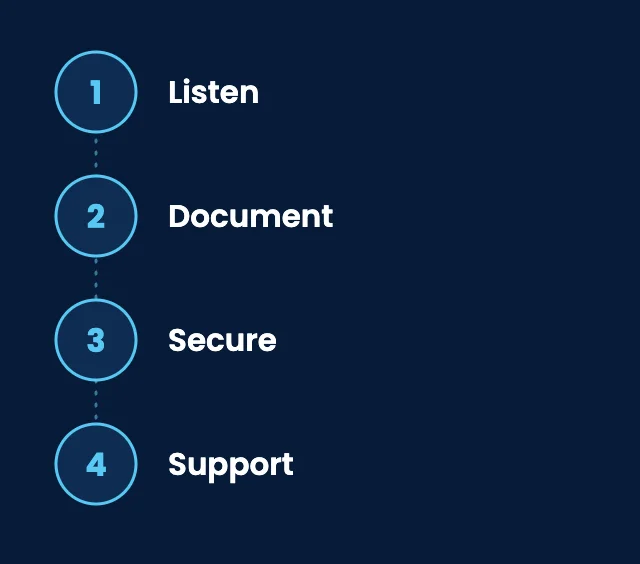
How SupportMax approaches a new client
01
Listen
We start with what is going wrong and what your business needs, in plain English.
02
Document
We inventory your devices, accounts, software, and vendors, so you have a clear picture.
03
Secure
We collect admin access securely, change credentials, and fix urgent security gaps early.
04
Support
You get a remote help desk, onsite help on the Westside of Los Angeles when needed, and one accountable team.
From our clients
We were comparing providers and didn't know who to trust.
“We talked to several IT companies and struggled to tell them apart. SupportMax was the one that felt genuinely straightforward.”
Una Ashwood - Owner, Professional Services
They answered our questions honestly.
“SupportMax didn't dodge any of our questions—they were honest about what they could and couldn't do. That helped us choose.”
Zane Cloverwell - Operations Manager, Retail
We feel good about the choice we made.
“Looking back, we made the right call. SupportMax has been everything they said they'd be.”
Sofia Oakford - Managing Director, Consulting
Working with SupportMax
One accountable team, clear next steps
Comparing IT companies?
Ask us the same questions you ask everyone else. Call 310.331.8119, Monday–Friday, 9:00 a.m.–6:00 p.m. Pacific, or send a message and we'll answer in plain English.
Questions
Choosing an IT company: common questions
Have a question that isn't here? Call 310.331.8119 or schedule a free consultation.
How many IT companies should we talk to?
Two or three is usually enough. Ask each the same questions so the answers are easy to compare.
Should we choose a local IT company in Los Angeles?
Much IT support happens remotely, but some problems need someone onsite. A provider based in the area can come out when needed. Ask which parts of Los Angeles they cover.
What should managed IT cost?
It depends on your number of users and devices, your security needs, and how much onsite help you need. See how much IT support costs for a small business.
What should we ask about switching?
Ask how they document your systems, how they get admin access, how they work with your current provider, and how they tell your staff what is changing.
Is the cheapest IT company a bad idea?
Not always, but compare what is included. Security software, backups, and onsite help are common places where lower prices differ.
How does SupportMax handle a switch?
We are based in West Los Angeles, explain things in plain English, and take over in phases with clear communication. See how switching to SupportMax works, or call 310.331.8119 during business hours.
Choosing an IT company in Los Angeles?
Talk to a real expert. Call 310.331.8119, Monday–Friday, 9:00 a.m.–6:00 p.m. Pacific, or see IT support in Los Angeles from SupportMax.
Prefer to call? 310.331.8119 · Mon–Fri, 9–6