
Microsoft 365 migration services · Los Angeles
Microsoft 365 Migration Services: Move With Fewer Surprises
SupportMax moves Los Angeles businesses to Microsoft 365 from Google Workspace, from GoDaddy-hosted or other Microsoft 365 tenants, and from older email systems. We plan the move, test it, migrate email, calendars, and contacts, and can move shared files to OneDrive and SharePoint and set up Teams. Your team gets clear instructions about what changes and when, and we stay with you after the move.
Managed IT · Based in West Los Angeles
We migrate from
1
Google Workspace
2
GoDaddy or another Microsoft 365 tenant
3
Exchange servers and other email hosts
Questions? 310.331.8119 · Mon–Fri, 9–6 Pacific.
Plain-English guidance
Based in West Los Angeles
Planned and tested
One accountable team
Common problems
What can go wrong in an email migration
Most migration problems are avoidable with planning.
01
Missing email
Archives, shared mailboxes, or folders left behind in the old system.
02
Mail stops arriving
Domain and DNS changes made at the wrong time or incorrectly.
03
Phones and Outlook break
Devices still pointing at the old system after the switch.
04
Confused staff
People don't know what changes, when, or how to sign in.
How it works
How a Microsoft 365 migration works with SupportMax
Plan, move, and support, in that order.
Plan My Microsoft 365 Migration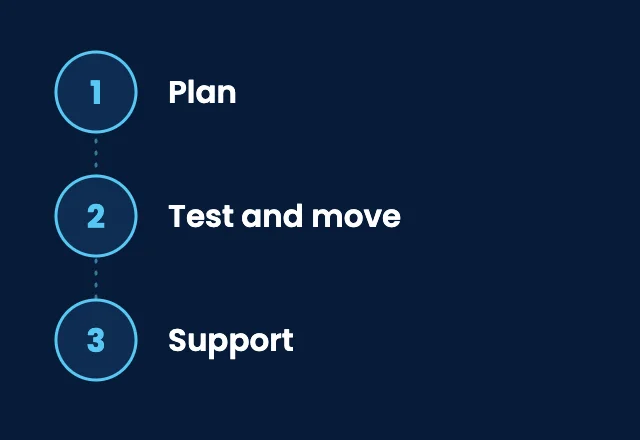
1. Plan
We inventory mailboxes, shared mailboxes, files, devices, and your domain settings, and agree on a schedule with you.
2. Test and move
We test the migration, move email, calendars, and contacts, and switch your domain at a planned time.
3. Support
We help your team sign in, fix phones and Outlook, and clean up anything left over.
Migration types
Which kind of migration do you need?
Each starting point needs a slightly different plan.

From Google Workspace
Gmail to Outlook
Email, calendars, and contacts
Shared drives to SharePoint
Staff instructions for Outlook
Domain switch at a planned time

Tenant to tenant
GoDaddy or another tenant
Moving off GoDaddy-hosted Microsoft 365
Mergers and company changes
Licenses moved or replaced
Mailboxes, files, and Teams

From older systems
Exchange and other hosts
On-premises Exchange servers
Other email providers
Archives and old folders
Files to OneDrive and SharePoint
Microsoft documents how to migrate Google Workspace mailboxes, how tenant-to-tenant migrations work, and the mailbox migration options for Exchange Online.
After the move
What happens after the migration
A migration is a good moment to fix security too: turn on multi-factor authentication, review who has admin access, and back up your Microsoft 365 data. After the move, we can keep managing users, licenses, email, and security for you. See Microsoft 365 management and cloud security.
Microsoft 365 management →What's included
Microsoft 365 migration from SupportMax
01
Planning
An inventory of mailboxes, files, devices, and domain settings, and a schedule you agree to.
02
Migration
Email, calendars, and contacts moved, plus shared files and Teams when included.
03
Communication
Clear instructions for your staff about what changes and when.
04
Support
Help with sign-ins, phones, and Outlook after the move, and ongoing management if you want it.
Client stories
What clients say about moving to Microsoft 365 with SupportMax
We were nervous about migrating to Microsoft 365.
“Migrating email and files felt risky, and we didn't want to disrupt the business. SupportMax planned it carefully and it went smoothly.”
Eva Ivorystone - Owner, Professional Services
They planned and communicated clearly.
“SupportMax walked us through what would happen at each stage and kept us informed throughout. The migration felt controlled.”
Callum Thornridge - Operations Director, Retail
The migration was smoother than we expected.
“We came through the migration with far less disruption than we feared. SupportMax handled the details.”
Veda Brightwood - Managing Director, Consulting
Pricing
Microsoft 365 Migration: what it includes and how pricing works
One focused project for moving your email and files to Microsoft 365. It's quoted after a short assessment, because the right scope depends on where you are moving from and how much data you have.
Single offer
Microsoft 365 Migration
Custom scope & quote
Best for: Businesses moving email and files to Microsoft 365 or between Microsoft 365 tenants.
Intended outcome: Your team working in Microsoft 365, with email and files where they should be.
Scope we start from
Inventory and migration plan you agree to
Email, calendars, and contacts migrated
Shared files and Teams when included
Help for your team after the move
Exact scope is confirmed in your written quote.
Cost factors
What affects the cost
Microsoft 365 licenses, hardware, and ongoing management after the move are discussed separately, and your written proposal states whether each is included. We don't publish timelines here; we agree on a schedule with you.
Users and mailboxes
How many people, shared mailboxes, and distribution lists are moving.
Archives and data size
How much old email and how many archives need to move.
Where you are moving from
Google Workspace, GoDaddy or another tenant, Exchange, or another host.
Files and Teams
Whether shared files move to OneDrive and SharePoint and Teams is set up.
Working with SupportMax
One accountable team, clear next steps
Planning a move to Microsoft 365?
Let's plan your migration together. Call 310.331.8119, Monday–Friday, 9:00 a.m.–6:00 p.m. Pacific.
Questions
Microsoft 365 migration services: Los Angeles FAQs
Have a question that isn't here? Call 310.331.8119 or schedule a free consultation.
Will we lose any email?
The plan includes an inventory of mailboxes, shared mailboxes, and archives so nothing is left behind, and we check after the move.
Will email stop during the migration?
We schedule the domain switch for a planned time and tell your team what to expect. We don't promise zero interruption, but we plan to keep it small.
Can you move us off GoDaddy Microsoft 365?
Yes. Moving from GoDaddy-hosted Microsoft 365 to a direct Microsoft 365 tenant is one of the migrations we handle.
Do you move shared files too?
Yes, when it is part of the plan. We can move shared files to OneDrive and SharePoint and set up Teams.
What about phones and Outlook?
We help your team reconnect phones and Outlook after the move.
How is a migration priced?
It depends on the number of users and mailboxes, the size of archives, files, and where you are moving from. Exact scope is confirmed in your written quote.
Move to Microsoft 365 with a plan
Call 310.331.8119, Monday–Friday, 9:00 a.m.–6:00 p.m. Pacific, to plan your migration. See also Microsoft 365 management.
Prefer to call? 310.331.8119 · Mon–Fri, 9–6