
Cloud security services · Los Angeles
Cloud Security Services for Los Angeles Businesses
SupportMax provides cloud security services for Los Angeles businesses that run on Microsoft 365, cloud apps, and cloud servers. Your cloud provider protects its data centers, but your accounts, settings, sharing, and data are still your responsibility. We secure those parts: multi-factor authentication, safer sharing settings, clean user accounts, monitoring, and backups of your Microsoft 365 data, explained in plain English.
Cybersecurity · Based in West Los Angeles
What we secure
1
Microsoft 365 email, files, and Teams
2
Cloud apps and user accounts
3
Servers and apps in Azure or another cloud
Questions? 310.331.8119 · Mon–Fri, 9–6 Pacific.
Plain-English guidance
Based in West Los Angeles
Settings, not just software
One accountable team
Common gaps
Where cloud security usually breaks down
Most cloud problems come from settings and accounts, not the cloud itself.
01
No multi-factor authentication
A stolen password is all it takes to get into email and files.
02
Files shared too widely
Links that anyone can open, and old shares nobody remembers.
03
Old and unused accounts
Former employees and unused apps that still have access.
04
No backup of cloud data
Deleted or encrypted Microsoft 365 data with no separate copy to restore.
How we work
How SupportMax secures your cloud
We start with a review, then fix what matters most.
See What's Putting You at Risk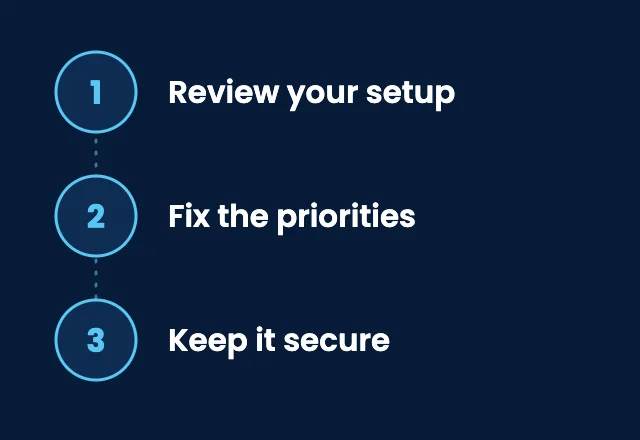
1. Review your setup
We look at your Microsoft 365 settings, accounts, sharing, cloud apps, and any cloud servers, and write down what we find.
2. Fix the priorities
We turn on multi-factor authentication, tighten sharing and security settings, remove old access, and set up backups of your cloud data.
3. Keep it secure
We manage accounts as people join and leave, monitor for threats, and review your cloud apps and subscriptions with you.
Who secures what
Who is responsible for cloud security?
Cloud providers call this shared responsibility. Here is what it means for you.

The provider
Secures the platform
Data centers and hardware
The core cloud service
Platform updates
Physical security

Your business
Owns the settings
Who has an account
How files are shared
Which apps are connected
Whether data is backed up

SupportMax
Manages it for you
Multi-factor authentication and security settings
User accounts and access
Monitoring and threat alerts
Backups of Microsoft 365 data
CISA's Secure Cloud Business Applications (SCuBA) project publishes secure configuration guidance for Microsoft 365 and other cloud apps, and Microsoft explains how to secure your business data with Microsoft 365.
Shared responsibility
The cloud isn't automatically secure
Moving to Microsoft 365 or another cloud service removes servers from your office, but it doesn't secure your accounts or decide who can see your files. Those choices stay with you. If an account is taken over, see what to do if your business email was hacked. For remote access and browsing, see SASE and VPN replacement and managed browser security.
Cloud services →What's included
Cloud security from SupportMax
01
Microsoft 365 security
Multi-factor authentication, security settings, and email protection for your Microsoft 365 accounts.
02
Accounts and access
Users added and removed properly, unused accounts cleaned up, and app access reviewed.
03
Monitoring
Security monitoring, including 24/7 threat monitoring, and dark web monitoring for exposed passwords.
04
Backup and recovery
Backups of your Microsoft 365 data, and help recovering from a security incident.
Client stories
What clients say about cloud security from SupportMax
Moving to the cloud raised new security questions.
“Once we moved more to the cloud, we weren't sure how security worked in that environment. SupportMax helped us secure it properly.”
Noelle Brightfield - Owner, Real Estate
They secured our cloud environment.
“SupportMax reviewed our cloud configuration and closed gaps we didn't know were there. It's a more secure setup now.”
Ansel Dawnwood - IT Manager, Manufacturing
We're more confident in our cloud setup.
“Knowing our cloud environment is properly secured has removed a source of uncertainty for us. We're much more comfortable with it now.”
Chloe Zephyrridge - CFO, Distribution

Working with SupportMax
One accountable team, clear next steps
Not sure how secure your cloud is?
Start with a free Technology Clarity Assessment. We look at how your Microsoft 365 and cloud apps are set up and tell you what's putting you at risk, in plain English. Call 310.331.8119, Monday–Friday, 9:00 a.m.–6:00 p.m. Pacific.
Questions
Cloud security services: Los Angeles FAQs
Have a question that isn't here? Call 310.331.8119 or schedule a free consultation.
Doesn't Microsoft secure Microsoft 365 for us?
Microsoft secures its platform. Your accounts, passwords, sharing settings, and data protection choices are still your responsibility, and that is where most problems start.
Do we need to back up Microsoft 365?
Yes. A separate backup protects you if email or files are deleted, encrypted, or lost. We back up Microsoft 365 data as part of our services.
What about cloud servers in Azure?
We manage and monitor servers and applications running in Microsoft Azure or another cloud, including who can access them.
How do you handle employees who leave?
We remove their access and handle their mailbox and files the way you choose. See our employee offboarding IT checklist.
Can you find cloud apps we don't know about?
Yes. A software inventory finds subscriptions and risky or unsanctioned apps. See SaaS spend and contract optimization.
How do we get started?
Start with a free Technology Clarity Assessment, or a paid cybersecurity assessment for a detailed review and list of fixes.
Secure your Microsoft 365 and cloud apps
Start with a free Technology Clarity Assessment to see what's putting you at risk, or call 310.331.8119, Monday–Friday, 9:00 a.m.–6:00 p.m. Pacific. See also cloud services.
Prefer to call? 310.331.8119 · Mon–Fri, 9–6