
vCIO services · Los Angeles
vCIO Services for Los Angeles Businesses
SupportMax vCIO services give your leadership a practical IT plan and budget without hiring a full-time CIO. We turn your business priorities, risks, and aging equipment into a written technology roadmap and IT budget, review it with you on a regular schedule, and keep an eye on vendors, contracts, and licenses.
What you get
1
A written roadmap and IT budget
2
Regular reviews with leadership
3
Vendor, contract, and license oversight
On its own or with managed IT.
Plain-English planning
Based in West Los Angeles
On its own or with managed IT
One accountable team
Video · 30 seconds
Read the transcript
Reactive technology spending often starts with an urgent invoice and ends with the same question: what are we doing next? A vCIO roadmap connects business priorities to system lifecycles, security work, budgets, and planned decisions. The point is not a thicker report. It is a clearer sequence of priorities leadership can understand, discuss, and revisit as the business changes. Review our technology roadmapping approach, then schedule a planning conversation.
Signs you need a plan
Signs your business needs a technology roadmap
If IT decisions only happen when something breaks, a roadmap helps.
01
Surprise IT expenses
Laptops, servers, or licenses need replacing all at once, with no budget set aside.
02
Renewals you didn't see coming
Software and vendor contracts renew automatically before anyone reviews them.
03
No one owns the big picture
Your IT support fixes problems, but no one is planning what should change next year.
04
Growth without a plan
New hires, offices, or tools get added without anyone checking security or capacity.
What a vCIO does
What SupportMax vCIO services cover
Planning, budgeting, and oversight, in plain English.
Schedule a Technology Strategy SessionRoadmap and budget
A written plan of what to replace, upgrade, or add, and when, with an IT budget tied to your business priorities.
Lifecycle and risk
Tracking the age of your hardware and software and building security and risk priorities into the plan.
Vendors and licenses
Reviewing technology vendors, contracts, renewals, and software licenses on your behalf.
What you get
What the vCIO service includes
Your option sets how often we meet. These are the building blocks.

Plan
Roadmap
Your business priorities and goals
What to replace, upgrade, or add
A timeline you can plan around
An IT budget tied to the roadmap

Review
Leadership meetings
Regular strategy reviews with leadership
Progress against the roadmap
Updates as the business changes
Plain-English decisions, not jargon

Oversee
Vendors and licenses
Vendor and contract review
Renewal tracking
Software license review
Hardware and software lifecycle planning
For planning references, see NIST's Small Business Cybersecurity Corner and the SBA's cybersecurity guide.
Know the difference
vCIO vs. IT support vs. a full-time CIO
IT support keeps today's systems working. A vCIO looks ahead: what to budget for, what to replace, and which vendors and risks need attention. A full-time CIO does that work in-house, which many small businesses don't need. If you're a SupportMax managed IT client, vCIO planning fits alongside your support; it's also available on its own.
Managed IT services →How it works
How vCIO planning works
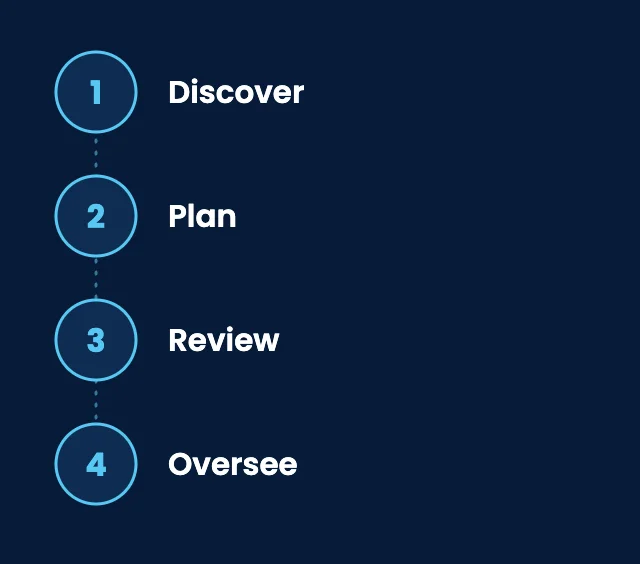
01
Discover
We learn your goals, current systems, vendors, and pain points.
02
Plan
We build a written roadmap and IT budget, starting with the biggest risks and costs.
03
Review
We meet with leadership on a regular schedule to review progress and adjust the plan.
04
Oversee
Between meetings, we keep an eye on vendors, renewals, licenses, and equipment age.
Client stories
What clients say about technology planning with SupportMax
We didn't have a real technology roadmap.
“We were making technology decisions one emergency at a time. SupportMax helped us build an actual plan.”
Bianca Quartzridge - Owner, Professional Services
They helped us plan around business goals.
“SupportMax tied our technology decisions to what the business is trying to achieve. That alignment has been valuable.”
Anika Harborbrook - CFO, Manufacturing
We have a roadmap we can follow.
“We finally have a plan we can work from instead of reacting. SupportMax helped us build it.”
Mabel Ravenmont - COO, Distribution
Options and pricing
vCIO options
Two ways to work with SupportMax on technology planning. The difference is how often we meet and how much we oversee between meetings. Both are quoted for your business.
Option 1
Quarterly Technology Advisory
Custom scope & quote
Best for: Businesses that want a clear plan and a regular check-in.
Intended outcome: An annual roadmap and budget, reviewed every quarter.
Scope we start from
Annual technology roadmap
IT budget tied to your priorities
Quarterly reviews with leadership
Lifecycle and risk priorities
Exact scope is confirmed in your written quote.
Option 2
Monthly vCIO
Custom scope & quote
Best for: Growing businesses with more vendors, projects, or change.
Intended outcome: Ongoing planning, with monthly meetings and vendor oversight.
Scope we start from
Everything in Quarterly Technology Advisory
Monthly meetings with leadership
Ongoing roadmap updates
Vendor, contract, and license oversight
Exact scope is confirmed in your written quote.
Cost factors
What affects the cost
Projects on the roadmap, new hardware, and software licenses are quoted separately. We don't guarantee cost savings.
Size of your business
Users, devices, and locations to plan for.
Number of vendors
How many vendors, contracts, and licenses to oversee.
Meeting cadence
Quarterly or monthly reviews with leadership.
Starting point
Whether documentation and an equipment inventory already exist.
Working with SupportMax
One accountable team, clear next steps
Planning that fits a small business
vCIO services are available on their own or alongside SupportMax managed IT. Call 310.331.8119, Monday–Friday, 9:00 a.m.–6:00 p.m. Pacific, or schedule a technology strategy session.
Questions
vCIO services: Los Angeles FAQs
Have a question that isn't here? Call 310.331.8119 or schedule a free consultation.
What does a vCIO do?
A virtual CIO plans your technology: a roadmap and budget, regular reviews with leadership, and oversight of vendors, contracts, and licenses. It is planning and decision support, not day-to-day help desk work.
How is this different from IT support?
IT support fixes and maintains today's systems. vCIO planning decides what should change next and how to budget for it.
What is included in a technology roadmap?
Your priorities; what to replace, upgrade, or add, and when; related security and risk priorities; and an IT budget tied to the plan.
How often is the plan reviewed?
It depends on the option you choose: quarterly reviews with an annual roadmap and budget, or monthly meetings with ongoing updates.
Do you help build an IT budget?
Yes. The roadmap includes an IT budget tied to your business priorities. For a detailed look at software subscriptions and renewals, see SaaS spend management.
Do we have to be a managed IT client?
No. vCIO planning works best alongside SupportMax managed IT, but it is also available on its own, including for businesses with another IT provider or internal IT staff.
Get a plan for your technology
Schedule a technology strategy session and we'll talk through your priorities, risks, and what to plan for first. Prefer to call? 310.331.8119, Monday–Friday, 9:00 a.m.–6:00 p.m. Pacific.
Prefer to call? 310.331.8119 · Mon–Fri, 9–6