
IT support · An honest checklist
Signs Your IT Provider Is Failing You
If you keep wondering whether your IT provider is doing its job, trust the feeling and check the evidence. The clearest signs are slow or missing responses, the same problems coming back, no one able to explain your security, and surprises on the invoice. Here's what to look for, what to check first, and how to switch without losing access to your systems.
By SupportMax · Updated October 13, 2026
Quick self-check
1
Do they respond when you need them?
2
Do problems stay fixed?
3
Can they explain your security plainly?
If not, it may be time to talk.
Plain-English guidance
Based in West Los Angeles
Honest recommendations
One accountable team
Video · 30 seconds
Read the transcript
If you keep wondering whether your IT provider is doing its job, check the evidence. The clearest signs are slow or missing responses, the same problems coming back, nobody able to explain your security in plain English, and surprises on the invoice. If that sounds familiar, don’t panic. First, make sure you control your accounts and passwords before you plan a switch. Talk to a real expert about switching safely.
The signs
Clear signs your IT provider is failing you
Any one of these is worth a direct conversation with your provider.
01
Slow or missing responses
Tickets sit for days, calls go to voicemail, or you have to chase every update. If they've gone silent completely, see what to do when your IT guy stops responding.
02
The same problems keep coming back
Issues get patched instead of fixed, so your team learns to live with them.
03
No one can explain your security
Ask about backups, multi-factor authentication, and who has admin access. Vague answers are a warning sign.
04
Surprise bills
Invoices include charges nobody explained, or work you thought was included gets billed separately.
Quieter signs
Quieter signs that matter just as much
These are easy to miss until something goes wrong.
Talk to a Real ExpertNo plan for the future
They react to problems but never talk about what to replace, upgrade, or budget for.
They hold the keys
You don't have your own admin access or documentation for your own systems.
Finger-pointing
Problems with internet, software, or other vendors always seem to be someone else's job.
Before you decide
What to check before you switch IT providers
Get these in order first, so a switch never leaves you locked out.

Access
Make sure you own it
Admin access to Microsoft 365
Your domain and DNS account
Firewall and network logins
Access to your backup account

Contract
Know your terms
When the contract ends
The notice period required
What's included and what's billed separately
Who owns the documentation

Security
Ask direct questions
When were backups last tested?
Is multi-factor authentication on everywhere?
Who has admin access?
What happens if there is an incident?
CISA's risk considerations for managed service provider customers lists good questions to ask any IT provider, current or new, and its cyber guidance for small businesses covers the basics every provider should help you with.
Fair warning
Sometimes the provider isn't the whole problem
Unclear expectations, old equipment, or an outdated contract can make any provider look bad. Before switching, write down what you expect: how quickly you need responses, what should be included, and who is responsible for security. Then raise it with your current provider directly. If the answers don't improve, it's time to look elsewhere. See how switching to SupportMax works.
Our process →How SupportMax helps
How SupportMax helps if it's time to switch
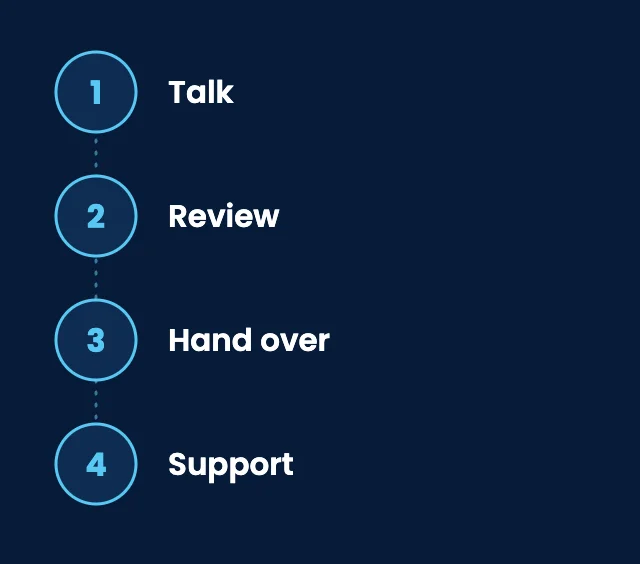
01
Talk
A plain-English conversation about what isn't working and what you need.
02
Review
We look at your setup and recommend a scope with a clear quote.
03
Hand over
Discovery, a secure access handover, and coordination with your current provider.
04
Support
Help desk, monitoring, regular reviews, and a named point of contact.
From our clients
We suspected our current IT provider wasn't working out.
“We had a feeling our provider wasn't giving us what we needed, but weren't sure if it was worth switching. SupportMax helped us see the difference.”
Enzo Lindenwood - Owner, Professional Services
They showed us what better support looks like.
“After talking with SupportMax, we realized how much our previous provider had been missing. The contrast was clear.”
Hazel Silvercroft - Operations Director, Legal Services
We're glad we made the change.
“Switching was the right decision. We're getting more attention, clearer communication, and fewer surprises.”
Nia Ashvale - Managing Partner, Consulting
Working with SupportMax
One accountable team, clear next steps
A straight answer, even if you should stay
Call 310.331.8119, Monday–Friday, 9:00 a.m.–6:00 p.m. Pacific, or take the free IT assessment. If your current provider just needs clearer expectations, we'll tell you.
Questions
Switching IT providers: common questions
Have a question that isn't here? Call 310.331.8119 or schedule a free consultation.
How do I know it is time to switch?
If the same problems keep happening after you have raised them clearly, and no one can explain your security or your bill, it's usually time to look at other options.
Should I talk to my current provider first?
Usually, yes. Share specific examples and what you expect. Sometimes clearer expectations fix the problem.
How do we switch without losing access?
Make sure you have your own admin access to key systems first. A new provider should handle a secure handover. See our process, and how to choose an IT company in Los Angeles.
What if our contract hasn't ended?
Check the end date and notice period, then plan the switch around them so there is no gap in support.
Is it normal for IT problems to keep coming back?
Occasional repeats happen. Problems that keep returning usually mean the root cause was never fixed.
Can SupportMax just give us a second opinion?
Yes. Start with the free IT assessment, or call us to talk it through.
Not sure your IT provider is working for you?
Talk to a real person about what's happening. Call 310.331.8119, Monday–Friday, 9:00 a.m.–6:00 p.m. Pacific. We'll give you a straight answer, even if the answer is to stay where you are.
Prefer to call? 310.331.8119 · Mon–Fri, 9–6