
Guide · Ransomware readiness
Ransomware Readiness Checklist for Los Angeles Businesses
This ransomware readiness checklist answers one question: if ransomware hit your business tomorrow, could you recover? Check that your backups are separate from your network and have been restored successfully, that every account uses multi-factor authentication, that someone is watching for threats, and that you know exactly who to call and what to do first. Each no is a gap to fix before an attack, not after.
Guide · From SupportMax in West Los Angeles
Start here
1
Backups kept separate and tested?
2
MFA on every account?
3
Know who to call first?
Questions? 310.331.8119 · Mon–Fri, 9–6 Pacific.
Plain-English help
Free, no form needed
No fear tactics
One accountable team
Checklist, part 1
Backups, access, devices, and detection
The four areas that decide whether you can recover.
01
Backups
A copy of important data is kept separate from your network, and a restore has been tested.
02
Access
Every account uses MFA, admin accounts are limited, and former staff access is removed.
03
Devices
Every computer has managed security software and current updates.
04
Detection
Someone watches for suspicious activity, including nights and weekends.
How to use it
How to use this checklist
Fifteen minutes now saves days later.
Request a Security Review1. Answer honestly
If you are not sure, mark it no. Uncertainty about backups is a gap.
2. Fix backups first
Tested, separate backups are what make recovery possible.
3. Write down the plan
Who to call, which systems come back first, and how to reach your insurer.
Checklist, part 2
Your plan, your people, and a recovery test
Being ready is more than software.

Plan
Before it happens
Contacts written down offline
Insurer details at hand
Recovery order agreed
Decision-maker named

People
Your team
Staff trained to spot phishing
A way to report suspicious email
Know not to pay or negotiate alone
Know to disconnect, not wipe

Recovery test
Prove it works
A file restored recently
A full system restore tested
Restore time understood
Results written down
This checklist follows public guidance. CISA's #StopRansomware guide and NIST's tips for preparing for ransomware attacks explain each step in more detail.
Next steps
If you answered no
Start with backups: a separate copy you have actually restored from is what turns a disaster into a bad week. Then add multi-factor authentication everywhere and make sure someone is watching for threats. No one can guarantee recovery from every attack, but these steps make it far more likely. See ransomware protection for how SupportMax helps, and what happens after a ransomware attack for the steps that follow one.
What happens after a ransomware attack? →How we help
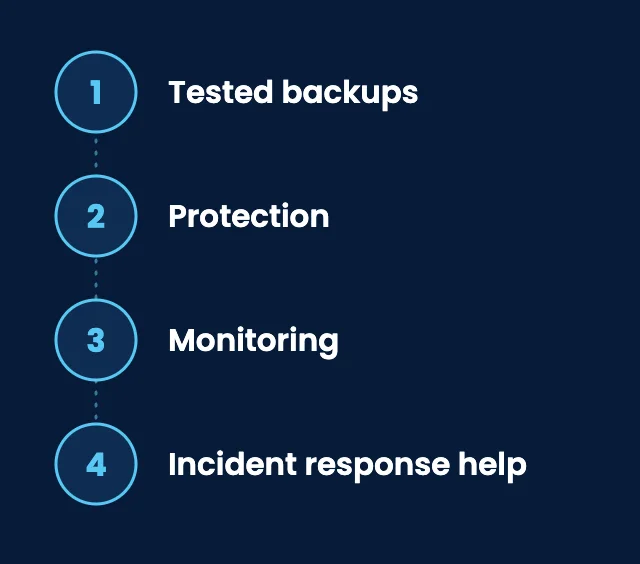
How SupportMax helps you get ready
01
Tested backups
Managed backups with restore testing.
02
Protection
Endpoint protection, email filtering, and MFA.
03
Monitoring
24/7 threat monitoring, including nights and weekends.
04
Incident response help
Containment, recovery, and hardening during business hours.
From our clients
We weren't sure we could recover from ransomware.
“We didn't know whether we could actually recover if we were hit. SupportMax helped us figure out what was missing.”
Lila Ivoryfield - Owner, Professional Services
They helped us test our assumptions.
“SupportMax walked us through what would actually happen in a ransomware scenario. That honest assessment was valuable.”
Maeve Meadowfield - Operations Director, Manufacturing
We're better prepared to recover.
“We've closed the gaps that mattered most, and we feel much better prepared now. SupportMax helped us get there.”
Briar Falconwood - IT Manager, Distribution
Printable version
Get the ransomware checklist as a printable PDF
A printable two-page version: this checklist plus an emergency sheet with who to call and what to do first. Keep a copy with your incident contacts.

Working with SupportMax
One accountable team, clear next steps
Not sure you could recover?
Call 310.331.8119, Monday–Friday, 9:00 a.m.–6:00 p.m. Pacific, and we will help you find out.
Questions
Ransomware readiness checklist: common questions
Have a question that isn't here? Call 310.331.8119 or schedule a free consultation.
What is the most important item on this checklist?
Separate, tested backups. They are what make recovery possible without paying a ransom.
How often should we test a restore?
Regularly, and after any major change to your systems. A backup that has never been restored is a guess.
Should we pay a ransom?
That is a business and legal decision to make with your insurer and attorney. Good backups mean you are less likely to face that choice.
What should staff do if they see ransomware?
Disconnect the computer from the network, don't turn it off or wipe it, and call for help right away.
Can I download this checklist?
A downloadable version is being prepared. Everything in it is on this page now.
Can SupportMax help us get ready?
Yes. We help with tested backups, protection, monitoring, and incident response planning. See ransomware protection.
Know you could recover
Call 310.331.8119, Monday–Friday, 9:00 a.m.–6:00 p.m. Pacific, or request a security review.
Prefer to call? 310.331.8119 · Mon–Fri, 9–6