
Onsite IT support · Los Angeles
Onsite IT Support for Los Angeles Businesses
SupportMax provides onsite IT support on the Westside of Los Angeles when a problem needs hands-on help. Most issues are fixed remotely first, because that is faster for you. When something physical needs attention, like a new computer, a printer, or network equipment, we come to your office. One team handles both, so nothing gets lost between remote and onsite help.
Managed IT · Based in West Los Angeles
When we come onsite
1
New computers, printers, and desks
2
Network, Wi-Fi, and equipment problems
3
Hardware that needs hands-on help
Questions? 310.331.8119 · Mon–Fri, 9–6 Pacific.
Plain-English help
Based in West Los Angeles
Remote first, onsite when needed
One accountable team
Video · 30 seconds
Read the transcript
Most IT problems can be fixed remotely. Some need someone in the room. SupportMax handles both. We start remotely, because that’s usually faster. When something physical needs attention, like a new computer, network equipment, or a printer with a mind of its own, we come to your office on the Westside of Los Angeles. One team handles remote and onsite help, so nothing gets lost. Schedule a conversation about onsite support.
What it covers
What onsite IT support covers
Some IT work needs a person in the room.
01
Setup and installs
New computers, monitors, printers, and phones set up and ready for your team.
02
Network and Wi-Fi
Firewalls, switches, and Wi-Fi equipment checked, replaced, or reconfigured.
03
Hardware problems
Devices that won't power on, damaged equipment, and parts that need replacing.
04
New staff and desk changes
Equipment for new employees and changes to where people sit.
How it works
How an onsite visit works with SupportMax
Fast for small problems, hands-on when it matters.
Let's Take This Off Your Plate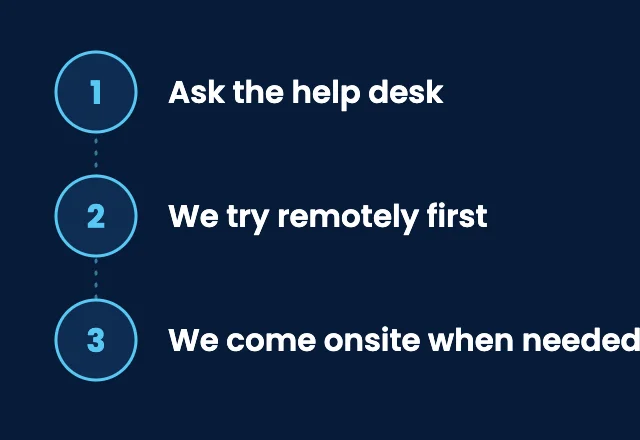
1. Ask the help desk
Your team contacts the help desk by phone or email, the same way as any other request.
2. We try remotely first
Most problems can be solved remotely, which is usually the fastest way to get someone back to work.
3. We come onsite when needed
If the issue needs hands-on help, we arrange a visit to your Los Angeles office and follow through until it is fixed.
Onsite or remote?
What needs a visit, and what doesn't
Knowing the difference keeps your costs and wait times down.

Onsite
Hands-on help
New equipment setup
Network equipment and cabling issues
Hardware failures
New desks and staff

Remote
Usually faster
Passwords and logins
Email and Microsoft 365
Software problems
Updates and slow computers

Planned work
Scheduled in advance
New staff setups
New staff equipment
Network upgrades
Equipment replacement
Onsite visits are also a chance to check the basics in your office, like who can reach your network equipment. CISA's Cyber Essentials and its cyber guidance for small businesses cover the essentials every small office should have in place.
How we work
Remote first, onsite when needed
Driving across Los Angeles takes time, so we fix what we can remotely and come onsite when hands-on help really matters. That keeps your team working and your costs predictable. When a visit is needed, we arrange it with you, and if the problem involves your internet provider or another vendor, we coordinate with them for you. See IT support in Los Angeles.
Remote IT support →What's included
Onsite IT support from SupportMax
01
Onsite visits
Hands-on help at your Los Angeles office when a problem needs it.
02
Remote first
Remote fixes for everyday problems, so you don't wait for a visit.
03
Help desk
A help desk for your employees, with our team during business hours and optional 24/7 coverage.
04
Vendor coordination
We deal with your internet provider and software vendors on your behalf.
Client stories
What clients say about onsite IT support from SupportMax
Some problems needed hands-on help in the office.
“Not everything could be fixed remotely, and we needed someone who could actually come onsite when it mattered. SupportMax showed up when we needed them and handled it properly.”
Gideon Quartzstone - Owner, Construction
Onsite support was responsive and professional.
“When we needed someone onsite, SupportMax was there quickly and handled the issue without disrupting our operations. It was a relief to have that option.”
Willa Yarrowwell - Facilities Manager, Manufacturing
We don't worry about the problems that need a visit.
“Knowing we have someone who will actually come onsite when needed has taken a weight off. We're not stuck trying to figure it out ourselves.”
Bela Foxmont - General Manager, Distribution
Pricing
Onsite IT Support: what it includes and how pricing works
One focused offer for businesses that need someone in the office when a problem calls for hands-on help. It's quoted after a short assessment, because the right scope depends on your locations and how often visits are needed.
Single offer
Onsite IT Support
Custom scope & quote
Best for: Businesses that need dependable hands-on help at their Los Angeles office.
Intended outcome: Physical problems handled in person, with remote help for everything else.
Scope we start from
Onsite support on the Westside of Los Angeles when needed
Remote fixes first, so small problems are solved faster
Help desk for your employees, with optional 24/7 coverage
Coordination with your internet provider and vendors
Exact scope is confirmed in your written quote.
Cost factors
What affects the cost
Hardware, cabling, parts, software licenses, and planned projects are discussed separately, and your written proposal states whether each is included. We don't publish visit times or travel terms here; talk through your expectations during the consultation.
Locations
How many offices you have, and where they are in the Los Angeles area.
How often visits are needed
How much of your equipment and network needs hands-on attention.
People and devices
How many employees and computers we support.
What else is included
Whether remote support, monitoring, and the help desk are part of the same plan.
Working with SupportMax
One accountable team, clear next steps
Need someone in the office?
Call 310.331.8119, Monday–Friday, 9:00 a.m.–6:00 p.m. Pacific, or start with a free Technology Clarity Assessment.
Questions
Onsite IT support: Los Angeles FAQs
Have a question that isn't here? Call 310.331.8119 or schedule a free consultation.
Do you come to our office?
Yes. We provide onsite support on the Westside of Los Angeles, including Santa Monica, Beverly Hills, Culver City, Brentwood, and West Hollywood, when a problem needs hands-on help. Elsewhere, we support your team remotely.
Why do you try remotely first?
Because it is usually faster. Many problems can be fixed in minutes remotely, without waiting for someone to drive across town.
Can you set up new computers and equipment?
Yes. We set up new computers, printers, and network equipment so they are secure and ready for your team.
Can you set up equipment for new employees?
Yes. We set up computers, accounts, and access for new employees, scheduled in advance with you.
Can you work with our internet provider?
Yes. We coordinate with your internet provider, software vendors, and other technology providers on your behalf.
How is onsite support priced?
It depends on how often you need visits, your locations, and what else is included. Exact scope is confirmed in your written quote. See how much IT support costs.
Get hands-on IT help in Los Angeles
Call 310.331.8119, Monday–Friday, 9:00 a.m.–6:00 p.m. Pacific, or request a free Technology Clarity Assessment. See also managed IT services.
Prefer to call? 310.331.8119 · Mon–Fri, 9–6