
Microsoft 365 · Troubleshooting
Staff Can't Log In? What To Check First
When a staff member can't log in, start by asking two questions: is it just this person or everyone, and what exactly does the screen say? Most login problems come down to a password, a multi-factor authentication (MFA) prompt that isn't arriving, a locked or disabled account, or a service outage. An admin can usually fix it in minutes. But repeated lockouts or unexpected MFA prompts can also be a sign someone is trying to get into the account.
By SupportMax · Updated October 13, 2026
Check first
1
Is it one person or everyone?
2
What does the error message say?
3
Did anything change recently?
Questions? 310.331.8119 · Mon–Fri, 9–6 Pacific.
Plain-English guidance
Based in West Los Angeles
Fix it, and check it is safe
One accountable team
Common causes
Why staff can't log in
These four causes explain most login problems.
01
Password problems
An expired, forgotten, or recently changed password, or the wrong account being used.
02
MFA not working
A new phone, a deleted authenticator app, or codes that never arrive.
03
Locked or disabled account
Too many failed attempts, or an account that was turned off by mistake.
04
Service or device issues
A Microsoft 365 outage, no internet, or a problem with the computer itself.
Step by step
How to troubleshoot a staff login problem
Work through these in order.
Let's Take This Off Your Plate1. One person or everyone?
If everyone is affected, check the internet connection and Microsoft's service status. If it is one person, focus on their account and device.
2. Read the error
"Incorrect password", "account locked", and "approve sign-in request" each point to a different fix. Write the message down.
3. Let an admin check the account
An admin can reset the password, unlock the account, or update MFA methods. Don't share passwords to work around it.
What to do
Password, MFA, and device fixes
Match the fix to the cause.

Password
Forgotten or expired
Admin resets the password
User sets a new one at sign-in
Check for caps lock and the right account
Set up self-service password reset

MFA
Codes or prompts not working
Admin re-registers the user's MFA
Add a backup sign-in method
Update MFA after a new phone
Never approve prompts you didn't start

Device or service
Not the account
Check the internet connection
Check Microsoft service status
Restart the computer
Try another trusted device
Microsoft explains how admins reset passwords in Microsoft 365 and manage users' authentication methods. CISA explains why you should turn on MFA.
Security check
When a login problem is a security problem
Be suspicious if an employee gets MFA prompts they didn't start, is locked out without trying to log in, or notices their password was changed. Those can be signs someone is trying to take over the account. Don't approve unexpected prompts, change the password, and have an admin review recent sign-ins. If the account may have been taken over, see what to do if your business email was hacked.
Microsoft 365 management →How SupportMax helps
How SupportMax handles login problems
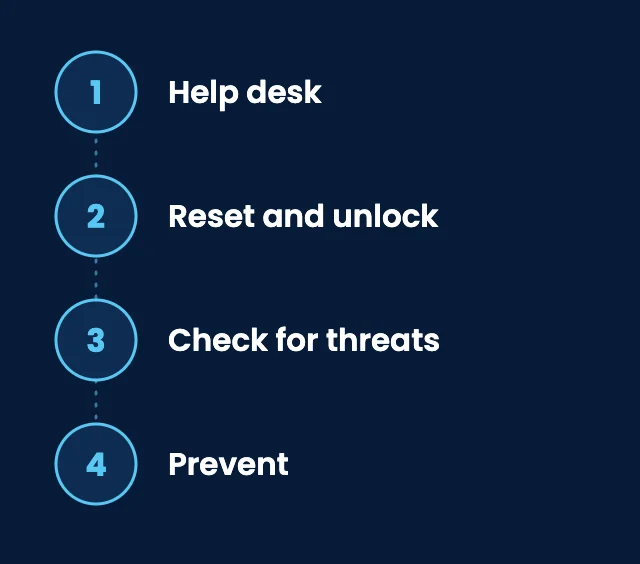
01
Help desk
Your team contacts our help desk when they can't sign in.
02
Reset and unlock
We reset passwords, unlock accounts, and update MFA methods for Microsoft 365.
03
Check for threats
We look for signs of account takeover and help secure the account if needed.
04
Prevent
We set up MFA properly, with backup methods, so lockouts are rarer.

Working with SupportMax
One accountable team, clear next steps
Tired of login problems?
Let us take it off your plate. Call 310.331.8119, Monday–Friday, 9:00 a.m.–6:00 p.m. Pacific, or start with a free Technology Clarity Assessment.
Questions
Staff login problems: common questions
Have a question that isn't here? Call 310.331.8119 or schedule a free consultation.
Why does an employee keep getting locked out?
Usually an old password saved on a phone or another device keeps trying to sign in. Sometimes it is someone else trying to get in, so check recent sign-ins.
What if an employee gets a new phone?
Their MFA app needs to be moved or set up again. An admin can reset their MFA so they can register the new phone.
Should we turn off MFA to make logins easier?
No. MFA is one of the best protections against stolen passwords. Add backup sign-in methods instead.
Can staff reset their own passwords?
Yes, if self-service password reset is set up in Microsoft 365. It saves time and calls to IT.
What if everyone suddenly can't log in?
Check your internet connection and Microsoft's service status. A company-wide problem is often an outage, not individual accounts. If people can sign in but email isn't flowing, see why business email stops working.
Can SupportMax help right away?
Our help desk is available during business hours, Monday–Friday, 9:00 a.m.–6:00 p.m. Pacific, with 24/7 coverage available as an add-on. Call 310.331.8119 to talk about ongoing support.
Get your team signed in, and keep accounts safe
Call 310.331.8119, Monday–Friday, 9:00 a.m.–6:00 p.m. Pacific, or request a free Technology Clarity Assessment. See also Microsoft 365 management.
Prefer to call? 310.331.8119 · Mon–Fri, 9–6