
HIPAA compliance checklist for small practices
HIPAA Compliance Checklist for Small Practices
For a small practice, HIPAA readiness comes down to three things: knowing where patient information lives and what could put it at risk, protecting it with sensible safeguards, and writing down what you do so you can show it. This checklist covers the IT side in plain English: a risk assessment, logins and passwords, backups, devices, email, staff training, and the vendors who handle patient data. It is a starting point, not legal advice.
By SupportMax · Updated October 13, 2026
Start here
1
Do a security risk assessment
2
Turn on multi-factor authentication
3
Confirm your backups can be restored
Not legal advice. Ask your compliance advisor about your obligations.
Plain-English guidance
Based in West Los Angeles
Help preparing, not promises
One accountable team
What HIPAA expects
What HIPAA expects from a small practice
The Security Rule applies to practices of every size. In practice, it asks for four things.
01
Know your risks
A written security risk assessment of where patient information lives and what could expose it.
02
Protect patient data
Safeguards for computers, email, and accounts that match the risks you found.
03
Train your people
Staff who know how to handle patient information and spot phishing.
04
Write it down
Policies, decisions, and fixes documented, and reviewed when things change.
Step by step
How to work through the HIPAA checklist
Most small practices can make real progress in this order.
See What's Putting You at Risk1. Assess your risks
List where patient information is stored and sent: your EHR, email, laptops, phones, and shared files. Note what could go wrong and how likely it is. The free SRA Tool can guide you.
2. Fix the biggest gaps first
Start with multi-factor authentication, security software on every computer, encrypted devices, and tested backups. Record what you changed and when.
3. Keep it current
Review the assessment regularly, and whenever you add systems, move offices, or change vendors.
The checklist
Your HIPAA compliance checklist
Use these three lists to see what you have and what is missing.

Paperwork
What you should have
A written security risk assessment
Security policies and procedures
Business associate agreements with vendors
A plan for a breach or outage

Technical safeguards
Protect the systems
Multi-factor authentication on email and your EHR
Security software and updates on every device
Encrypted laptops and phones
Backups you have tested by restoring

People and vendors
Who touches patient data
Security awareness training for staff
Unique logins, no shared passwords
Access removed when staff leave
A list of vendors who handle patient data
NIST's SP 800-66 guide to implementing the HIPAA Security Rule explains each requirement for organizations of all sizes. The government's free Security Risk Assessment Tool is designed to help small and medium practices complete their risk assessment.
Ongoing, not one-time
A checklist isn't a one-time project
HIPAA readiness means showing that you protect patient information consistently: you assessed your risks, fixed what mattered, trained your people, and kept records. Buying a product or passing a quick scan doesn't make a practice compliant. If a phishing email gets through or a laptop goes missing, your documentation and your response plan matter. See what to do if an employee clicked a phishing email.
Healthcare IT services →How SupportMax helps
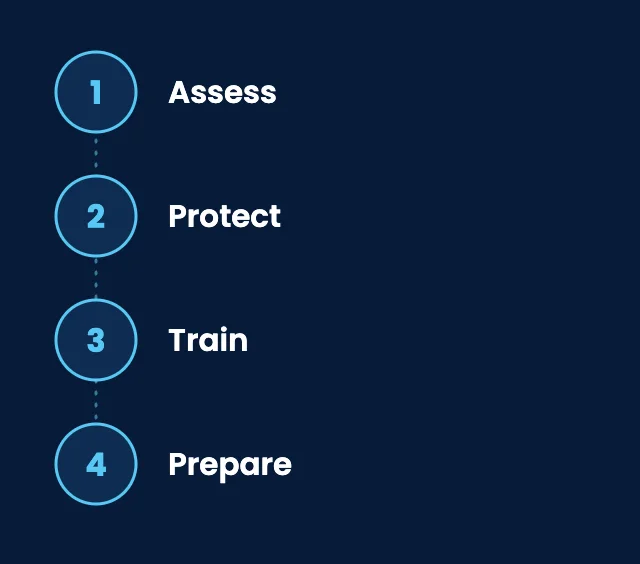
How SupportMax helps practices prepare for HIPAA
01
Assess
A paid cybersecurity assessment reviews your systems and settings and gives you a prioritized list of fixes.
02
Protect
We set up multi-factor authentication, security software, email filtering, and managed backups with restore testing.
03
Train
Security awareness training and phishing simulations for your staff.
04
Prepare
We help you prepare for HIPAA and answer the technical parts of security questionnaires, in plain English. See HIPAA IT support.
Working with SupportMax
One accountable team, clear next steps
Not sure where your practice stands?
Start with a free Technology Clarity Assessment. We look at how your technology is set up and tell you what's putting you at risk, in plain English. Questions first? Call 310.331.8119, Monday–Friday, 9:00 a.m.–6:00 p.m. Pacific.
Questions
HIPAA compliance checklist for small practices: common questions
Have a question that isn't here? Call 310.331.8119 or schedule a free consultation.
Does a small practice really need a risk assessment?
Yes. The HIPAA Security Rule expects covered practices of every size to assess risks to patient information. NIST guidance and the free SRA Tool can help you start.
Does a HIPAA-compliant EHR make us compliant?
No. A good EHR helps, but your own computers, email, passwords, staff habits, and vendors are still part of your HIPAA responsibilities.
Do we need multi-factor authentication?
It is one of the most effective ways to protect email and patient systems from stolen passwords, and it is a common expectation in security reviews and insurance questionnaires.
What about vendors that handle patient data?
Keep a list of vendors that store or access patient information, and make sure business associate agreements are in place. Ask your compliance advisor which vendors need one.
Can SupportMax make our practice HIPAA compliant?
No IT provider can promise that. We help you prepare: assessing risks, fixing technical gaps, training staff, and documenting the work. For legal questions, talk to your compliance advisor or attorney.
Where should we start?
Start with a free Technology Clarity Assessment, or a paid cybersecurity assessment for a detailed list of fixes. See also IT services for healthcare and therapy practices.
Getting your practice ready for HIPAA?
Start with a free Technology Clarity Assessment to see what's putting you at risk, or call 310.331.8119, Monday–Friday, 9:00 a.m.–6:00 p.m. Pacific. See IT compliance services from SupportMax.
Prefer to call? 310.331.8119 · Mon–Fri, 9–6