
Network · Why is my office WiFi so slow?
Why Is My Office WiFi So Slow?
Office Wi-Fi is usually slow for one of four reasons: the internet connection itself is the bottleneck, the Wi-Fi equipment is old or in the wrong place, too many devices are competing for it, or something on the network is using more than its share. A few simple checks tell you which one it is. Some fixes take minutes. Others mean replacing equipment or changing your internet plan.
By SupportMax · Updated October 13, 2026
Check this first
1
Is it slow for everyone, or one person?
2
Is a wired computer slow too?
3
Does it happen at certain times of day?
Questions? 310.331.8119 · Mon–Fri, 9–6 Pacific.
Plain-English guidance
Based in West Los Angeles
Find the real cause
One accountable team
Common causes
Why office Wi-Fi gets slow
These four causes explain most slow Wi-Fi in small offices.
01
The internet plan is the limit
If everyone shares a connection that is too small, the Wi-Fi can only be as fast as the internet behind it.
02
Old or badly placed equipment
One aging router behind a wall can't cover a whole office.
03
Too many devices
Laptops, phones, printers, TVs, and guests all compete for the same Wi-Fi.
04
Something hogging bandwidth
Large backups, video, cloud syncing, or an unknown device can slow everyone else down.
Step by step
How to find where the slowdown is
Three quick checks point you to the right fix.
Let's Take This Off Your Plate1. Test with a cable
Plug a computer directly into the router or network. If it is fast with a cable but slow on Wi-Fi, the problem is the Wi-Fi, not the internet.
2. Compare people and places
Is it slow for everyone or one person? Near the router or far away? One slow device usually needs attention itself.
3. Watch the timing
If it slows at the same times each day, something scheduled, like backups or syncing, may be using the connection.
What to do
Quick fixes, equipment fixes, and internet fixes
Match the fix to what you found.

Quick fixes
Try these first
Restart the router and access points
Move the router away from walls and metal
Check for devices you don't recognize
Schedule big backups after hours

Equipment fixes
When the hardware is the problem
Replace an aging router
Add access points for full coverage
Separate guest Wi-Fi from staff Wi-Fi
Update equipment software

Internet fixes
When the connection is the limit
Check your plan's speed
Ask your provider about outages
Consider a faster or backup line
Compare business internet options
Microsoft explains why an internet connection can be slow and what to check on a computer, and CISA's guide to securing wireless networks covers settings every office Wi-Fi should have.
Security check
Slow Wi-Fi can be a security problem
If you see devices on your network that nobody recognizes, or the Wi-Fi password has been shared for years, someone outside your business may be using your connection. Change the password, separate guest Wi-Fi from staff Wi-Fi, and make sure your router is updated. If the internet connection itself keeps dropping, see why business internet keeps going down.
Network management →How SupportMax helps
How SupportMax fixes slow office Wi-Fi
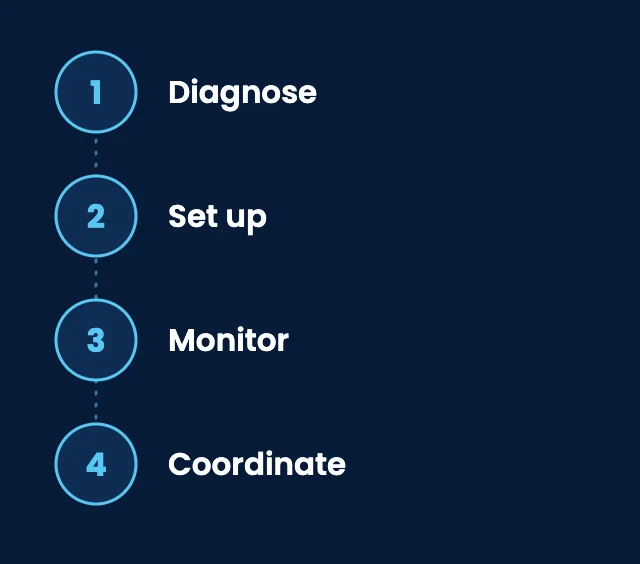
01
Diagnose
We find whether the problem is the internet, the Wi-Fi, or a device.
02
Set up
We set up and manage business Wi-Fi, routers, and switches.
03
Monitor
We monitor your network equipment and internet connection for problems.
04
Coordinate
We work with your internet provider on your behalf when the issue is on their side.

Working with SupportMax
One accountable team, clear next steps
Tired of slow Wi-Fi?
Let us take it off your plate. Call 310.331.8119, Monday–Friday, 9:00 a.m.–6:00 p.m. Pacific, or start with a free Technology Clarity Assessment.
Questions
Why is my office WiFi so slow? Common questions
Have a question that isn't here? Call 310.331.8119 or schedule a free consultation.
Is it the Wi-Fi or the internet?
Test a computer with a network cable. If it is fast with a cable but slow on Wi-Fi, the Wi-Fi is the problem. If both are slow, look at the internet connection.
Will a faster internet plan fix it?
Only if the internet is the bottleneck. If the Wi-Fi equipment is old or poorly placed, a faster plan won't help much.
How many access points does an office need?
It depends on your space, walls, and number of people. Larger or multi-room offices usually need more than one.
Should guests use our office Wi-Fi?
Give guests a separate network so they can't reach your computers and files, and so their devices don't slow down your staff.
Can slow Wi-Fi mean we were hacked?
Not usually, but unknown devices on your network are worth checking. Change the password and review what is connected. If only one computer is slow, see why work computers get slow.
Can SupportMax fix it?
Yes. We diagnose the cause, set up and manage your Wi-Fi and network equipment, and come onsite on the Westside of Los Angeles when needed. See network management.
Get your office Wi-Fi working properly
Call 310.331.8119, Monday–Friday, 9:00 a.m.–6:00 p.m. Pacific, or request a free Technology Clarity Assessment. See also network management.
Prefer to call? 310.331.8119 · Mon–Fri, 9–6