Cybersecurity Services · Los Angeles
Cybersecurity Services for Los Angeles Businesses
SupportMax is a managed security service provider (MSSP) delivering cybersecurity services for Los Angeles-area businesses with roughly 1 to 100 employees. We protect your devices, email, and Microsoft 365 accounts, watch for threats around the clock, and help you recover if something goes wrong, all explained in plain English, without fear tactics.
Built for teams of 1–100
Threat monitoring 24/7
Plain-English guidance
One accountable team
Video · 30 seconds
Read the transcript
Cybersecurity is not one magic product. It is a coordinated program: protect devices and email, strengthen accounts with multi-factor authentication, monitor for threats, find vulnerabilities, prepare backups, and know how to respond when something goes wrong. SupportMax helps small businesses bring those pieces into a practical plan without fear-based jargon or unnecessary complexity. Explore our cybersecurity services, then schedule a conversation about the risks that matter most to your business.
Where risk usually hides
Where small businesses are usually exposed
Most security problems at small businesses don't start with sophisticated hackers. They start with ordinary gaps that nobody had time to close. Wondering if you really need this? Read do small businesses really need cybersecurity?
01
Phishing and stolen passwords
One convincing email can hand over an employee's login. Without multi-factor authentication, that password may be all an attacker needs.
02
Unprotected or outdated devices
Laptops without managed security software or recent updates give attackers an easy way in.
03
Backups nobody has tested
A backup only helps if it can actually be restored. Many businesses find out it can't at the worst possible moment. Here's how to test business backups.
04
Tools nobody is watching
Security software that sends alerts no one reviews gives a false sense of protection.
What we manage
What SupportMax cybersecurity services include

Layer 1 · Stop common attacks
Protect
Endpoint protection installed and managed on your computers
Email filtering for phishing, spam, and malicious attachments
Multi-factor authentication and Microsoft 365 security settings
Firewall and network security management

Layer 2 · Spot what gets through
Detect
24/7 threat monitoring, including nights and weekends
Vulnerability scanning, with fixes for what we find
Dark web monitoring for exposed company credentials

Layer 3 · Be ready to recover
Prepare and recover
Security awareness training and phishing simulations for your team
Managed backups with restore testing
Help containing and recovering from a security incident
Support preparing for HIPAA and similar requirements
Our priorities line up with public guidance for small businesses, including CISA's advice to require multi-factor authentication and its #StopRansomware guidance on backups and recovery, which shapes our ransomware protection. Security works best alongside managed IT services and backup and disaster recovery.
Tools vs. protection
Security tools aren't the same as being protected
Security tools on their own
Managed security with SupportMax
Setup and upkeep
Bought, installed, then mostly forgotten
One team configures, maintains, and reviews it
Alerts
Pile up with no one assigned to review them
Threats are monitored 24/7
Gaps between products
Go unnoticed
Weaknesses are scanned for and fixed
Backups
Run, but restores are never tested
Tested, so recovery is realistic
How we start
How we improve your security
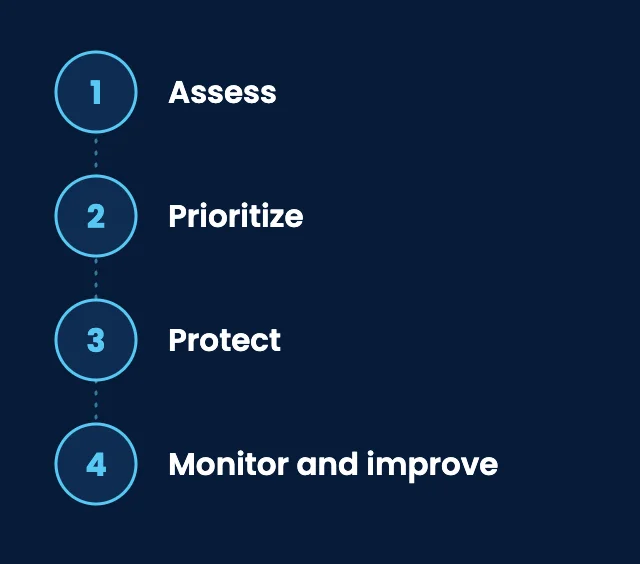
01
Assess
We review your devices, accounts, email, network, and backups, and scan for known weaknesses.
02
Prioritize
We rank what matters most to your business and explain it in plain English, so you know what to fix first and why.
03
Protect
We put protections in place in phases, with clear communication, to keep disruption to your team low.
04
Monitor and improve
Round-the-clock monitoring, ongoing scanning, and regular reviews keep protection current as your business changes.
Client stories
What clients say about working with SupportMax on security
We were worried about breaches and ransomware.
“Like most small businesses, we knew a breach could hurt us but weren't sure how exposed we actually were. SupportMax assessed our environment and gave us a clear picture of what needed attention first.”
Maya Silvervale - Owner, Professional Services
They made security understandable.
“SupportMax explained our security risks without jargon or scare tactics. They prioritized what mattered most and helped us address it step by step.”
Esme Falconcroft - Operations Director, Healthcare Practice
We understand our security posture now.
“We finally have a clear view of where we stand on security and what we're doing about it. That clarity has been a relief.”
Tobin Zephyrwood - Managing Partner, Legal Services

Working with SupportMax
One accountable team, clear next steps
Plain-English security guidance for Los Angeles businesses
Tell us what concerns you about your security. We'll review your setup, explain in plain English what we'd do first, and recommend a scope with a clear quote.
Office hours Monday to Friday, 9 a.m. to 6 p.m.
Threat monitoring continues 24/7, including nights and weekends
Call 310.331.8119
Compliance
Preparing for HIPAA and other requirements
If your business handles patient, financial, or client data, SupportMax can help you prepare for requirements like HIPAA by putting practical safeguards in place and documenting them. Compliance is a shared responsibility, so we can't make your business compliant on our own, but we can make the technical side clearer and easier to manage. Many frameworks build on the same basics as the NIST Cybersecurity Framework. See also our healthcare IT support.
Options and pricing
Cybersecurity options and how pricing works
Three levels of protection, from the essentials every business needs to a fuller security program. These options cover security services only; day-to-day IT support is a separate service. Every option is quoted after an assessment.
Option 1
Security Foundation
Custom scope & quote
Best for: Small teams that have little or no managed security in place today.
Intended outcome: The most common ways in, such as phishing emails, stolen passwords, and unprotected computers, are covered.
Scope we start from
Endpoint protection on every computer
Email filtering for phishing, spam, and malicious attachments
Multi-factor authentication and Microsoft 365 security settings
Exact scope is confirmed after the assessment.
Option 2
Advanced Protection
Custom scope & quote
Best for: Businesses that want continuous visibility, not just baseline defenses.
Intended outcome: Threats are watched around the clock, and weaknesses are found and fixed.
Scope we start from
Everything in Security Foundation
24/7 threat monitoring, including nights and weekends
Vulnerability scanning and remediation
Dark web monitoring for exposed company credentials
Firewall and network security management
Exact scope is confirmed after the assessment.
Option 3
Complete Security
Custom scope & quote
Best for: Businesses with sensitive data, insurance questionnaires, or industry requirements.
Intended outcome: Protection, staff readiness, recovery, and preparation for requirements, coordinated by one team.
Scope we start from
Everything in Advanced Protection
Security awareness training and phishing simulations
Managed backups with restore testing
Help containing and recovering from a security incident
Compliance support: help preparing for HIPAA or similar requirements
Exact scope is confirmed after the assessment.
Cost factors
What affects the cost
Discussed separately: day-to-day IT support (a separate managed IT service), hardware, and third-party software licenses. No option can guarantee that an attack won't happen, and compliance support helps you prepare; it doesn't certify compliance. Your written proposal states exactly what is included.
Users and devices
How many people, computers, and phones need protection.
Email and Microsoft 365
The size and setup of your email and Microsoft 365 environment.
Monitoring scope
Which systems need 24/7 monitoring, vulnerability scanning, and dark web monitoring.
Compliance needs
Whether you need to prepare for HIPAA or other industry requirements.
Training and backups
Security training for your team and the amount of data to back up and test.
Starting condition
How much needs fixing first, and what security tools you already have.
Cyber insurance
Request a cybersecurity insurance quote
Answer a few questions about your business and the security you have in place. It takes about five minutes. We pass your answers to our insurance partners, who prepare the quote. SupportMax is not an insurance company or licensed insurance agent and may receive compensation if you buy a policy.
Questions
Cybersecurity services: Los Angeles FAQs
Dealing with an active incident? Call 310.331.8119. For anything else, schedule a free consultation.
What do your cybersecurity services include?
Endpoint and email protection, multi-factor authentication and Microsoft 365 security, firewall and network security, 24/7 threat monitoring, vulnerability scanning, dark web monitoring, staff security training, managed backups with restore testing, incident response help, and support preparing for HIPAA and similar requirements. The exact scope is agreed for your business.
Do you monitor for threats 24/7?
Yes. Threat monitoring continues around the clock, including nights and weekends.
What happens if we're hit by a cyberattack?
SupportMax helps you contain the incident and recover, including restoring from tested backups where needed. If you're dealing with an active incident now, call us at 310.331.8119.
Can you make us HIPAA compliant?
No provider can make a business compliant on its own; compliance also depends on your policies and practices. SupportMax helps you prepare by putting technical safeguards in place and documenting them.
How much do cybersecurity services cost?
It depends on your users and devices, Microsoft 365 setup, monitoring scope, compliance needs, training, backups, and starting condition. A security review gives you a quote based on your actual environment.
We already have antivirus. Do we still need this?
Antivirus is one layer. Most incidents involve phishing, stolen passwords, unpatched systems, or untested backups, which antivirus alone doesn't cover. Managed security adds monitoring, MFA, scanning, training, and recovery planning.
See what's putting your business at risk
Talk to us about your setup, or start with the free assessment. Either way, you'll get clear, practical next steps.
Prefer to call? 310.331.8119 · Mon–Fri, 9–6